
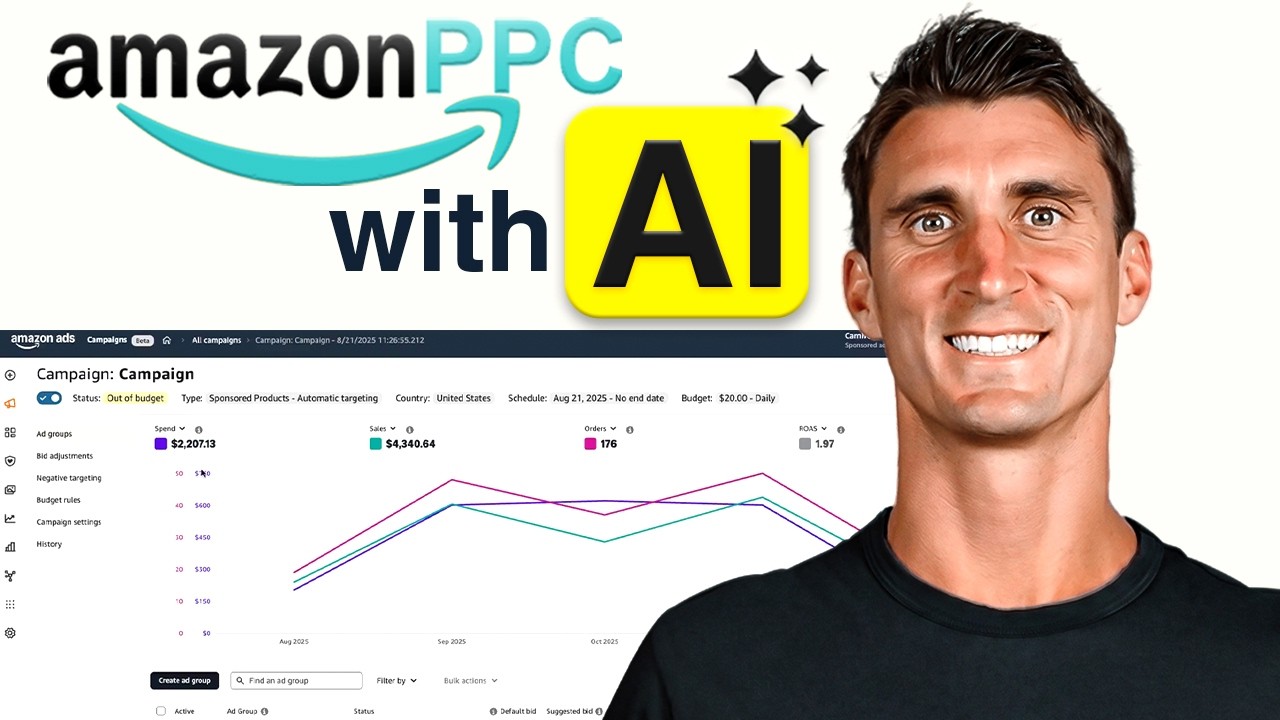
Amazon PPC is a data game, and if you still manage it by hand, you are almost certainly leaving money on the table. For the last 30 days, I handed my entire advertising operation over to AI, and my ACoS now looks better than it ever has. That single change freed up hours every week that I used to spend buried in search term reports.
Before you picture a robot quietly draining your bank account, let me set your mind at ease. This system does not remove you from the equation. Instead, it puts you in the strategist’s seat while the software handles the repetitive math that humans are genuinely bad at doing every single day.
In this article, I will walk you through the exact setup I use: how AI finds my profitable keywords, how it adjusts my bids in real time, how it protects my budget with a hard ceiling, and how it builds entire campaign structures in about two minutes. Moreover, I will show you the one thing automation cannot fix, because that part matters more than any tool.
- Why Amazon PPC Feels Harder Than It Should
- Let AI Find Your Winning Keywords Automatically
- Turn On AI Bidding and Set Your ACoS Target
- Set Your Budget Ceiling So AI Can Never Overspend
- Build Clean Campaigns in Two Minutes with Campaign Builder
- Real Sellers, Real Numbers
- Why BQool Instead of the Big Enterprise Tools
- Automation Only Works If the Product Is Right
- Putting the Whole System to Work
- Frequently Asked Questions
Why Amazon PPC Feels Harder Than It Should
Most sellers assume they are bad at Amazon PPC. In reality, they are simply fighting three specific problems that no human can solve consistently by hand. Once you understand these three, everything else in this article will click into place.
For years, I paid someone on my team to adjust all three of these variables manually. Honestly, it amounted to a part-time job. Now AI handles the entire workload, and my team spends that time on higher-leverage projects instead.
You Don’t Know Which Keywords Actually Make Money
Here is the uncomfortable truth: most sellers guess. They launch a campaign, watch the spend climb, and hope that something inside the account converts. Alternatively, they spend hours digging through search term reports, scrolling past hundreds of rows and hoping they spot the winners.
The good news is that this data already exists inside your account. You do not need better information. Instead, you need something that surfaces the profitable search terms automatically, the moment they prove themselves.
The Right Bid Changes Every Single Day
Let’s say you actually find a great keyword. Now you face a second decision: how much should you pay every time someone clicks it? Pay too much and you lose money even when you make the sale. Pay too little and nobody ever sees your product.
What makes this genuinely difficult is that the correct number moves constantly. Competitors adjust, seasonality shifts, and conversion rates fluctuate. Therefore, a bid you set on Monday can be wrong by Thursday. Fortunately, this is a pure math problem, and math problems are exactly what software solves best.
Budgets Creep Quietly
Ad spend rarely explodes all at once. Instead, it creeps. One campaign slowly absorbs more and more of your daily budget until it quietly eats your margin, and you usually discover the damage at the end of the week or the month when you finally check your numbers.
Best of all, this problem disappears permanently once you set a spending ceiling. Not a suggestion, not a guideline, but a hard limit the system physically cannot exceed. I will show you how to set that up in a moment.
Let AI Find Your Winning Keywords Automatically
Previously, my keyword routine looked like this: pull the search term report, scroll through hundreds of rows, and try to identify the winners before my eyes glazed over. That method works, technically. However, it burns hours, and it makes missing a profitable keyword incredibly easy.
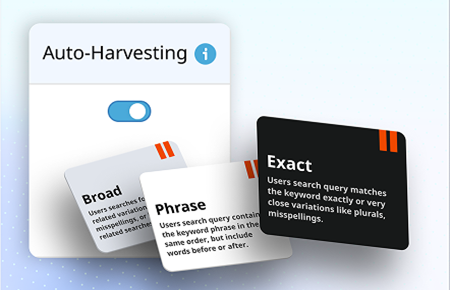
Here is what I do instead. For all of this, I use a tool called BQool, and I will explain exactly why I chose it later in this article. Once you open BQool, you turn on one simple feature called Auto Harvesting. First, head into the Ad Manager. Next, open the Ad Groups table. Then scroll over to the CTR column on the right and sort it from low to high. Finally, flip on Auto Harvesting. If you want to move faster, use the bulk action to enable it across a whole batch of ad groups at once.
From that point forward, BQool watches your ads around the clock. The second a search term starts generating sales, the system grabs it and adds it into your campaign as a real, targeted keyword. Meanwhile, you do absolutely nothing. For my latest product, a men’s eyebrow pencil that I just launched, winning keywords keep getting added in the background while I work on other things.
What is keyword harvesting? Keyword harvesting is the process of identifying search terms that already convert inside your automatic campaigns and promoting them into manual campaigns, where you can control bids and match types directly. Traditionally, sellers do this by hand once or twice a month. AI does it continuously.
Turn On AI Bidding and Set Your ACoS Target
Bidding used to drive me crazy, because the right bid is never the same two days in a row. As a result, manual bid management always felt like chasing a moving target. This is the single highest-leverage automation of the three, and BQool recently rebuilt it inside their 2.0 release, so it is worth revisiting even if you tried the older version.
Where to Turn It On
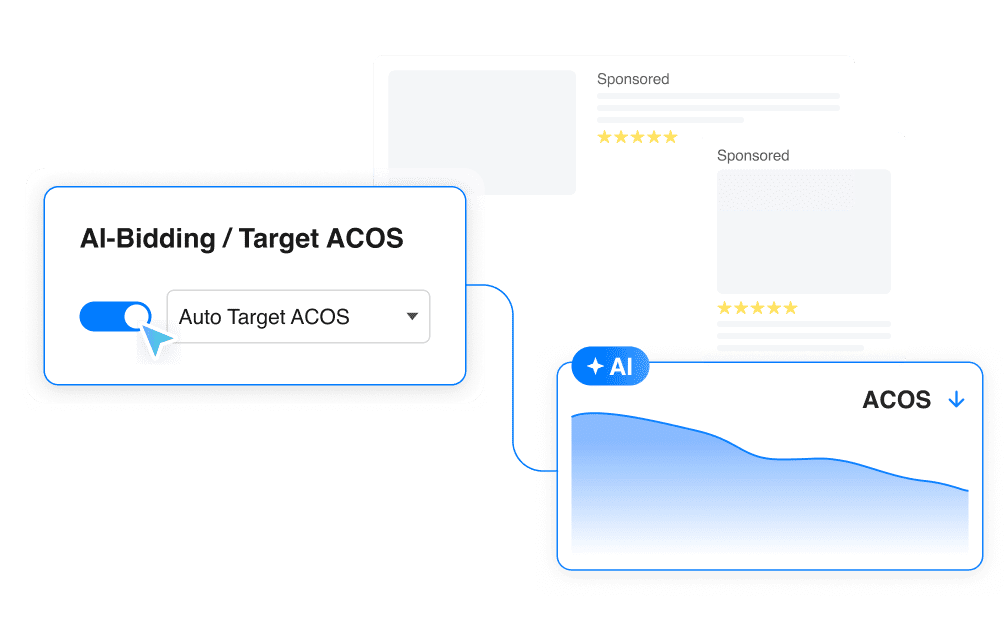
Head back into the Ad Manager and open that same Ad Groups table. This time, use the sort button to surface the ad groups with the highest ACoS. Those are the ones bleeding money, so those are the ones AI should fix first. Then turn on AI bidding with a single click, and use bulk actions if you want to apply it across multiple ad groups simultaneously.
Auto Mode: Three Styles to Choose From
Next, you tell the system your target ACoS, meaning how much you are willing to spend on advertising to generate one sale. A lower number protects more profit. A higher number buys more volume. In auto mode, BQool picks the target for you and adjusts it in real time, but you still choose the personality.
| Mode | Best For | Trade-off |
|---|---|---|
| Conservative | Tight-margin products and steady accounts | Slower growth, protected profit |
| Moderate | Most beginners, and the recommended starting point | Balanced spend and scale |
| Aggressive | Launches, rank pushes, and seasonal peaks | Higher spend for more sales |
Manual Mode for Experienced Sellers
On the other hand, if you already know your margins cold and want full control, manual mode lets you type in your own number. For example, I can simply enter 30% and let the system optimize toward it. Experienced sellers with strong unit economics usually prefer this route.
The 90-Day Data Advantage
Here is the detail that genuinely separates BQool from the alternatives I have tested. Before the system changes anything, it looks back at your last 90 days of performance data. Then it suggests a realistic target range instead of leaving you to guess, typically somewhere around 20 to 30% if you want to play it safe, and a bit higher if you want to grow faster. Either way, your bids now adjust on their own all day long. Personally, this is my favorite part of the entire system.
Set Your Budget Ceiling So AI Can Never Overspend
I know exactly what some of you are thinking, because I thought the same thing the first time. If I let a robot run my bids, what stops it from blowing through all my money? Fortunately, the answer takes about a minute to implement.
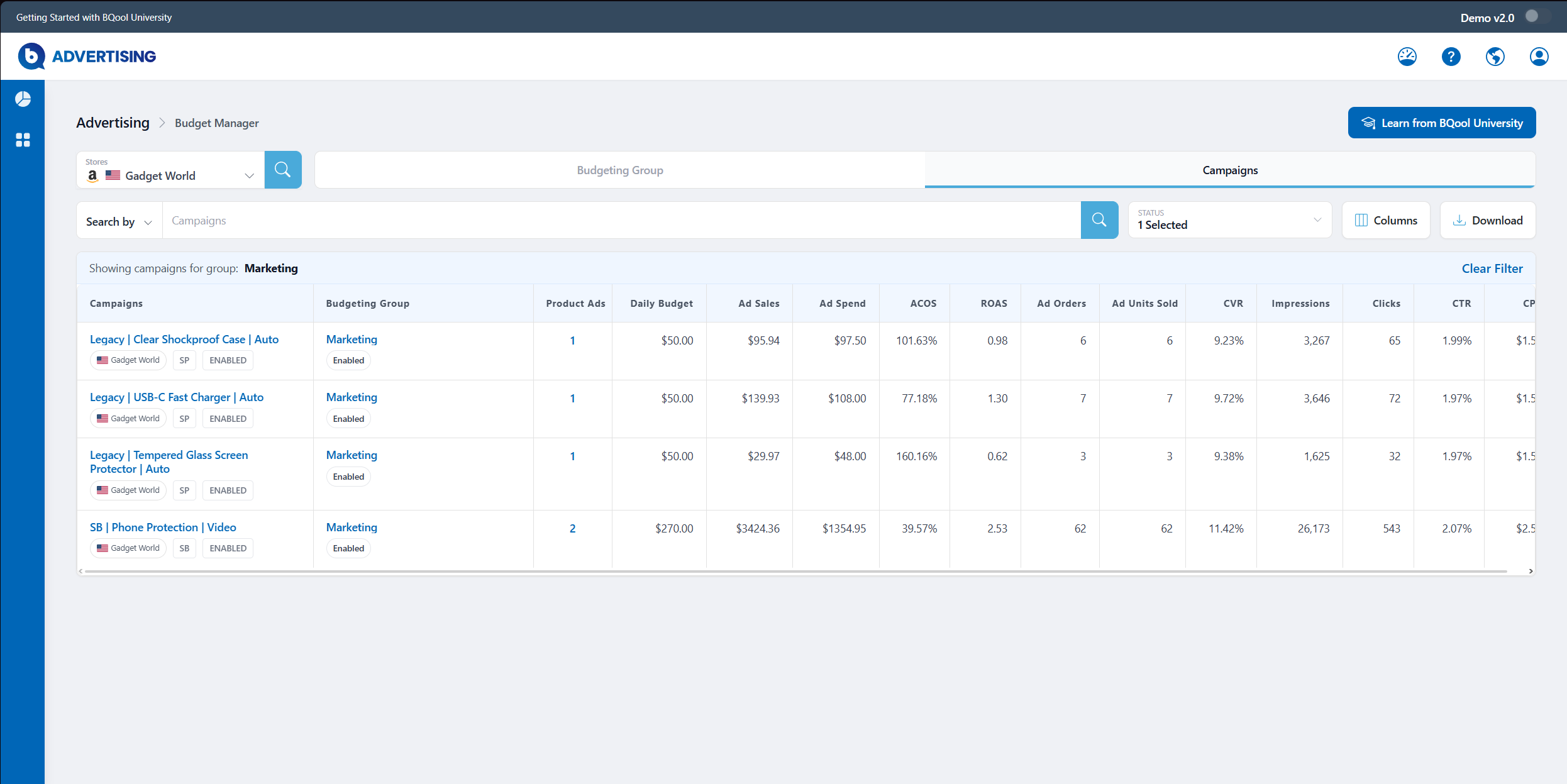
Head over to Budget Manager and click Add Budget Group. Give it a name, pick your store, and enter one total daily budget that the entire group will share. Then find your campaigns, check the ones you want included, and hit save. That is the whole process.
Here is the part I really love, though. The AI does not simply stop at that limit and call it a day. Inside the group, it monitors every campaign and feeds more budget to the strongest performers while pulling spend away from the weak ones. Consequently, your best ads never run out of money halfway through the day and lose you sales, and your underperformers never get the chance to waste your margin.
Most importantly, the AI has to operate inside that ceiling. It physically cannot spend more than you allow. That single guardrail is what made me trust automation in the first place, because I set the rules and I stay in control.
Build Clean Campaigns in Two Minutes with Campaign Builder
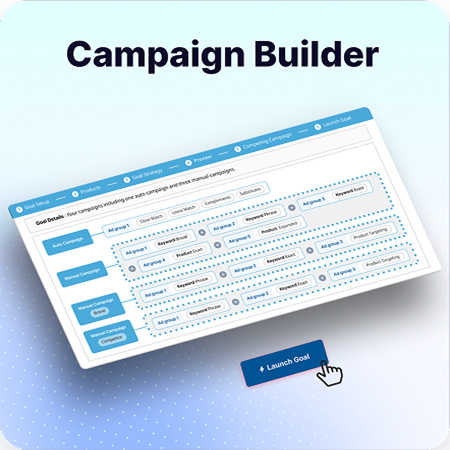
So far, I have shown you how AI runs everything once your campaigns are already live. But what about launching a campaign in the first place? If you are new to Amazon advertising, building a structure from scratch feels overwhelming. There are dozens of settings, and messing it up is genuinely easy.
That is why BQool includes a feature called Campaign Builder, which constructs your entire campaign architecture for you. To start, open the advertising menu on the left and click Campaign Builder. Then pick your marketplace and your ad type, which for me is Sponsored Products. Next, name your goal and search for the product you want to advertise by SKU or product name. Finally, you reach the best part: goal strategy.
Basic Strategy: Best for Brand New Products
Basic is the broadest setup available, and it launches one automatic campaign alongside one manual campaign. The auto campaign matters enormously for a new product, because it goes out and collects data for you, gathering competitor keywords and ASINs without you lifting a finger. Therefore, if you just launched a product with no brand recognition yet, start here.
Advanced Strategy: Best for Products with Traction
Advanced builds on the Basic structure, but it pushes more of your budget behind targets that already work. Specifically, it identifies keywords and products generating three or more orders at a high conversion rate, then invests more aggressively into those winners. In other words, it doubles down on proven performance.
Brand-Based and Custom
Two additional strategies exist for sellers who want more granular control. Brand-based suits established sellers defending their own branded search terms, while custom lets you architect everything yourself. That said, for most people reading this, Basic or Advanced covers exactly what you need.
The Preview and Auto-Pause Features
Once you select a strategy, BQool shows you a complete preview of the Amazon PPC structure it is about to build. For Basic, you can see the auto campaign and the manual campaign laid out with all the ad groups and match types already organized. You are not guessing at structure, because the work is already done. In addition, if you have competing campaigns running, BQool automatically pauses the overlapping ones after your new campaign launches, so you stop bidding against yourself and wasting spend on the same keyword. Then you hit launch, and your entire structure goes live in seconds. What used to take me an hour of Amazon PPC setup and second-guessing now takes roughly two minutes.
Real Sellers, Real Numbers

Let me be straight with you: I have only just started testing this AI myself, so I do not have a full set of my own long-term numbers to share yet. Thirty days tells you a direction, not a destiny. However, plenty of sellers have been running this system far longer, and their results are worth examining.
Take Craig, who has been selling on Amazon since 2005. For nearly two decades, he managed all of his Amazon PPC by hand. Six months after switching over to AI campaigns, he had tripled his sales and cut his ACoS in half.
Then there is Wynn, a reseller who ran the same experiment. After six months on BQool‘s AI, her ACoS dropped from 21% all the way down to 9%, while her sales climbed 1,400%.
Naturally, the obvious next question is which tool actually deserves that kind of trust.
Why BQool Instead of the Big Enterprise Tools
I have tested a lot of Amazon PPC platforms over the years, including some of the most expensive options on the market. Out of every single one, BQool delivered the best results for my business. On top of that, the team ships new features constantly, which matters in a channel that changes as quickly as Amazon PPC does.
To be fair, the enterprise platforms are genuinely powerful. However, they are built for giant brands with entire teams of dedicated ad specialists. As a result, they carry steep learning curves, complicated interfaces, and price tags that only make sense at serious scale.
| Enterprise PPC Platforms | BQool | |
|---|---|---|
| Price | High monthly minimums | Significantly lower |
| Learning curve | Steep, often requires training | Simple, same-day setup |
| Best for | Large brands with ad teams | Small and medium sellers |
| Setup time | Days or weeks | Minutes |
BQool takes the opposite approach. It is built to be simple, it costs considerably less, and it is designed specifically for small and medium sellers, which describes most of us. Better still, they offer a 30-day free trial, so you can run the entire system for a month at zero risk and judge the results yourself. (I use an affiliate link, which supports this content at no extra cost to you.)
Automation Only Works If the Product Is Right

Now for the part nobody selling you software will mention. AI can optimize your spend beautifully, but it cannot fix a product that nobody wants. Advertising amplifies whatever you point it at. Consequently, pointing a world-class bidding algorithm at a generic, undifferentiated product simply helps you lose money more efficiently.
This means your highest-leverage decision happens long before you spend a single dollar on ads. It happens when you choose what to sell. The sellers who win consistently are not the ones with the cleverest bid strategy. They are the ones who picked a product with real demand, a genuine point of differentiation, and an audience they actually understand.
That is precisely what the Passion Product Formula exists to solve. Rather than chasing whatever the software tools flag as low-competition this month, the formula walks you through finding a product idea rooted in something you genuinely care about, validating that real demand exists, differentiating it so you are not competing purely on price, and launching with an actual plan instead of a guess. Return to my eyebrow pencil for a moment. Auto Harvesting keeps pulling in winning keywords because the product resonates with a specific audience. A differentiated product hands the AI good raw material to work with.
When a strong product meets automated Amazon PPC, the two compound on each other. So if you have not launched yet, or if your current product is not gaining traction, start there. My team offers a free consulting call where we map out a plan for launching your own Amazon business and walk you through how our mentorship program works. We will hold your hand through every step of the launch. You can apply for that free coaching call below.
Putting the Whole System to Work
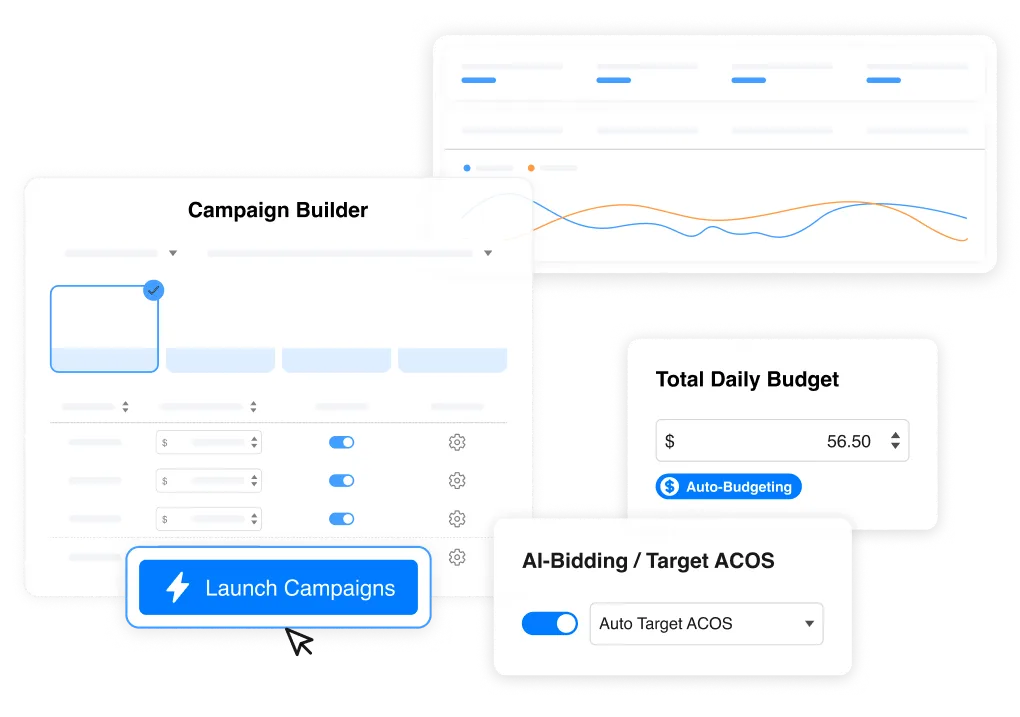
Let me tie the four pieces together. Auto Harvesting finds your profitable keywords automatically, so you stop scrolling through reports. AI bidding adjusts your bids all day toward the ACoS target you choose. Budget Manager enforces a spending ceiling while intelligently shifting money toward your winners. And Campaign Builder launches clean, well-structured campaigns in roughly two minutes.
Above all, remember the principle that made this whole approach work for me. The AI executes, but you set the rules. You define the target, you define the limit, and the system operates strictly inside those boundaries. That combination delivers the efficiency of automation without surrendering control of your business.
So here is what I would do next. First, start your 30-day BQool free trial and turn on Auto Harvesting today, since it costs nothing and starts working immediately. Second, book a free coaching call with my team to make sure the product you are advertising actually deserves the ad spend. And if you want a deeper technical walkthrough, watch my full Amazon PPC setup video for the fundamentals behind everything covered here.
Frequently Asked Questions
Can AI really manage Amazon PPC better than a human?
For the repetitive work, yes. Harvesting keywords, adjusting bids, and pacing budgets are continuous tasks that reward constant attention, which software provides and humans cannot. That said, humans still set the strategy, the targets, and the guardrails.
Is it safe to let AI control my ad spend?
Yes, provided you set a budget ceiling first. Inside Budget Manager, your daily group budget acts as a hard limit that the system cannot exceed. The AI optimizes within that boundary rather than around it.
What ACoS target should a beginner choose?
Start with moderate auto mode. Alternatively, use the range BQool suggests after analyzing your last 90 days of data, which typically lands around 20 to 30% for sellers prioritizing profitability.
How long before I see results?
Keyword harvesting begins working immediately, often within the first week. Bid optimization generally needs a few weeks of data before the improvements become clear, so give the system at least 30 days before judging performance.
Does this work for brand new products with no sales history?
Absolutely. Choose the Basic campaign strategy in Campaign Builder, which pairs an automatic campaign with a manual one. The auto campaign collects competitor keywords and ASINs for you, giving the AI the data it needs to optimize.
Do I still need to check my campaigns manually?
Occasionally, yes. I review performance weekly rather than daily, mainly to confirm targets still match my margins and to spot any product-level issues. However, the day-to-day adjustments no longer require my attention.